Website Design Company Near Me: Find the Right Website Partner for Your Business
Expert tips, design inspiration, and digital strategies to grow your business online.

When business owners search for a website design company near me, they are usually looking for a professional team that can understand their requirements and create a website that supports their business goals. A website is more than an online brochure. It can introduce your company, explain your services, display your products, answer common questions and help potential customers contact you.
Choosing a website design partner requires more than comparing prices. You should understand the company’s design approach, development capabilities, communication process and ability to provide support after launch. In this guide, we explain what to look for before choosing a website design company and how to plan a website that works for your business.
Why Do People Search for a Website Design Company Near Me?
People often prefer to work with a website design company that is easy to contact and communicate with. They may want to discuss their project, explain their business requirements, review design ideas and receive updates during development.
However, the phrase website design company near me does not automatically mean that the closest provider is the best choice. A suitable company should understand your project, explain its process clearly and have the technical skills needed to deliver the required website.
Before making a decision, review the provider’s website, services, portfolio, communication options and project terms. A good working relationship is based on clear expectations and reliable communication.
What Should You Look for in a Website Design Company?
1. Professional Design Quality
Your website creates an impression of your business. A clean and professional design can help visitors understand your services and find information easily. Look for consistent colours, readable typography, balanced spacing, useful images and clear calls to action.
2. Responsive Website Development
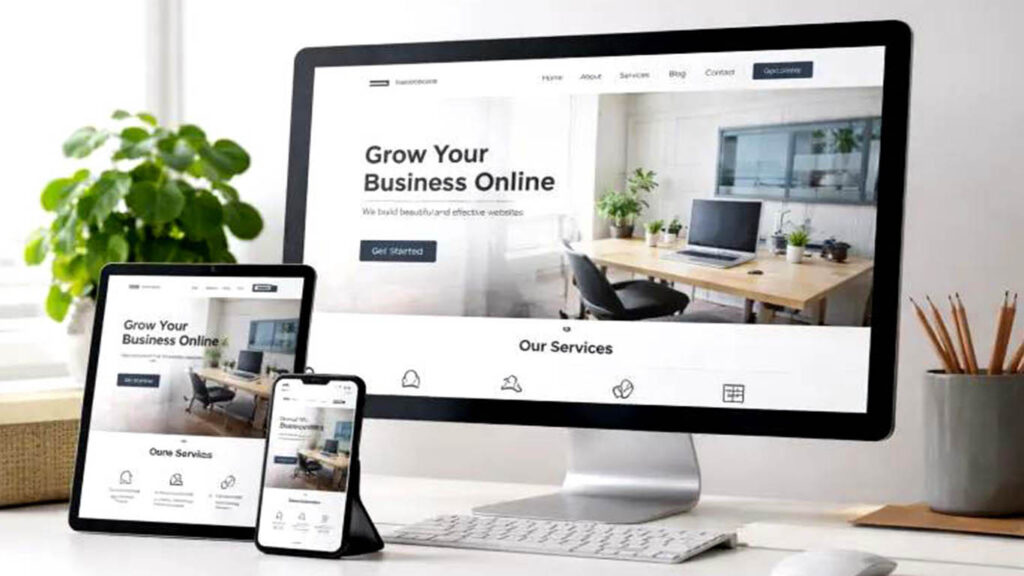
A website should work properly on mobile phones, tablets and desktop computers. Check whether the provider considers mobile layouts during the design process. Navigation menus, buttons, images and forms should be easy to use on smaller screens.
3. Clear Project Communication
Website projects require decisions about pages, content, images, features and design. Choose a provider that explains the process, asks relevant questions and communicates project progress. You should know what information is needed from you and when feedback is expected.
4. Relevant Technical Skills
Different websites require different technologies. WordPress may be suitable for a company website or blog. React JS can be used for interactive frontend experiences. PHP, Laravel and CodeIgniter can support custom backend functionality. Ask which technology is appropriate for your actual requirements.
5. SEO-Friendly Website Structure
A website should be developed with search engine accessibility in mind. This includes descriptive page titles, organised headings, readable URLs, image ALT text, internal links and useful page content. Technical performance and mobile usability are also important considerations.
6. Support and Maintenance
After a website is launched, it may need software updates, backups, content changes, security checks and improvements. Ask what support is included and whether ongoing maintenance is available separately.
Types of Websites You Can Build for Your Business
Business or Company Website
A company website presents your business, services, experience and contact information. It commonly includes Home, About Us, Services, Portfolio, Blog and Contact Us pages. This is a practical starting point for many businesses.
Service-Based Website
If your business provides professional services, a service-based website can explain each service on a separate page. Include the benefits, process, frequently asked questions and a clear enquiry option. This helps visitors understand exactly what you offer.
eCommerce Website
An eCommerce website allows customers to browse products and place orders online. Depending on the project, it may require product categories, search, shopping cart, checkout, payment integration, order management and inventory features.
Portfolio Website
A portfolio website displays previous projects, creative work, case studies and client feedback. It is useful for designers, developers, photographers, agencies and other professionals who need to demonstrate their work.
Custom Web Application
Some businesses need systems that go beyond normal web pages. Examples include booking platforms, customer portals, management dashboards, reporting tools and internal business applications. These projects usually require custom frontend and backend development.
How Does the Website Design Process Work?
A professional website project should follow an organised process. Although each project is different, these stages are common.
- Initial discussion: Explain your business, target audience, website goals and expected features.
- Requirement planning: Prepare a page list, content requirements, functionality list and project scope.
- Design concept: Plan the layout, colour scheme, typography, navigation and visual style.
- Development: Convert the approved design into a working website using suitable technologies.
- Content placement: Add your text, images, product details, service information and contact details.
- Testing: Check the website on different devices and browsers. Test links, forms, navigation and other features.
- Launch: Publish the website after final review and approval.
- Maintenance: Keep the website updated and review its performance over time.
Why Website Content Is Just as Important as Design
A beautiful website cannot communicate effectively if its content is confusing or incomplete. Visitors should quickly understand what your business does and how your products or services can help them.
Write a clear headline for each important page. Explain your services using simple language. Use headings and short paragraphs to make information easier to scan. Add genuine project images, product photographs or relevant illustrations where they improve understanding.
Each service page should explain what the service includes, who may need it and how a visitor can enquire. Avoid copying text from competitors. Original content helps communicate your actual business offering and gives visitors more useful information.
Important Website Features to Discuss Before Development
- Mobile-friendly responsive layout.
- Clear navigation and organised pages.
- Contact form with email notifications.
- Click-to-call and email links where appropriate.
- WhatsApp contact link if required.
- Social media profile links.
- Blog or news section.
- Image gallery or project portfolio.
- Basic on-page SEO setup.
- SSL certificate and suitable security configuration.
- Backup and maintenance arrangements.
- Analytics and search performance tools if required.
Not every business needs every feature. Select features based on your customers and business workflow instead of adding unnecessary functions.
How Much Should You Budget for Website Design?
The cost of a website depends on the design, number of pages, content requirements, development technology and special functionality. A simple company website is generally less complex than an online store or custom application.
When comparing quotations, check whether they include design, development, mobile responsiveness, content integration, contact forms, testing and launch support. Also ask whether domain registration, hosting, premium themes, paid plugins or ongoing maintenance are included or charged separately.
The cheapest quotation may not include everything your business needs. At the same time, a higher price does not automatically guarantee better quality. Compare the actual scope, deliverables and support before making your decision.
Questions to Ask Before Hiring a Website Design Company
- Can you develop the type of website I need?
- Which platform or technology do you recommend and why?
- Will the website be responsive on mobile devices?
- How many pages and revisions are included?
- Who will provide the website content and images?
- Will I be able to update the website later?
- How will the contact form and enquiry notifications work?
- What testing will be completed before launch?
- What support is available after the website goes live?
These questions help you understand the provider’s process and reduce the possibility of unexpected costs or misunderstandings.
Frequently Asked Questions
How do I choose the best website design company near me?
Review the provider’s portfolio, services, technical skills, communication process, project scope and support options. Choose a company that understands your requirements and explains the work clearly.
Can I get a website designed for my small business?
Yes. A small business can start with a focused website containing essential information, services, images and contact details. Additional features can be added as the business grows.
Will my website appear on Google?
A website can be made accessible to search engines through proper technical setup and useful content. However, indexing and search rankings depend on several factors and cannot be guaranteed by website design alone.
Can I update the website myself?
Yes, if the website is built with a suitable content management system or includes an administration panel. Ask for guidance on how to manage pages, images and blog posts.
Does Webnart provide website development services?
Webnart provides website design and development solutions. You can explore the service page and contact the team to discuss your project requirements.
Choose Webnart for Your Website Design and Development Project
Your website should be easy to use, visually professional and designed around your business goals. Before choosing a provider, understand the development process, required features, technology and support arrangements.
Explore Webnart and learn more about our Website Design & Development Services. If you are planning a new website or want to improve an existing one, visit our Contact Us page to share your requirements.
Looking for the right website partner? Start by discussing your business goals and the website you want to build.
Trusted Resources
Explore these trusted resources to understand website design, responsive development, SEO, and web accessibility:
- Google SEO Starter Guide – Learn how to create search-friendly websites and improve your website’s visibility in search results.
- web.dev Learning Resources – Explore website performance, responsive design, and modern web development practices.
- W3C Web Accessibility – Learn how to make websites accessible and user-friendly for everyone.